 Design
Rive
The interactive experience engine — design, animate, and ship state-machine-driven vector animations across every platform.
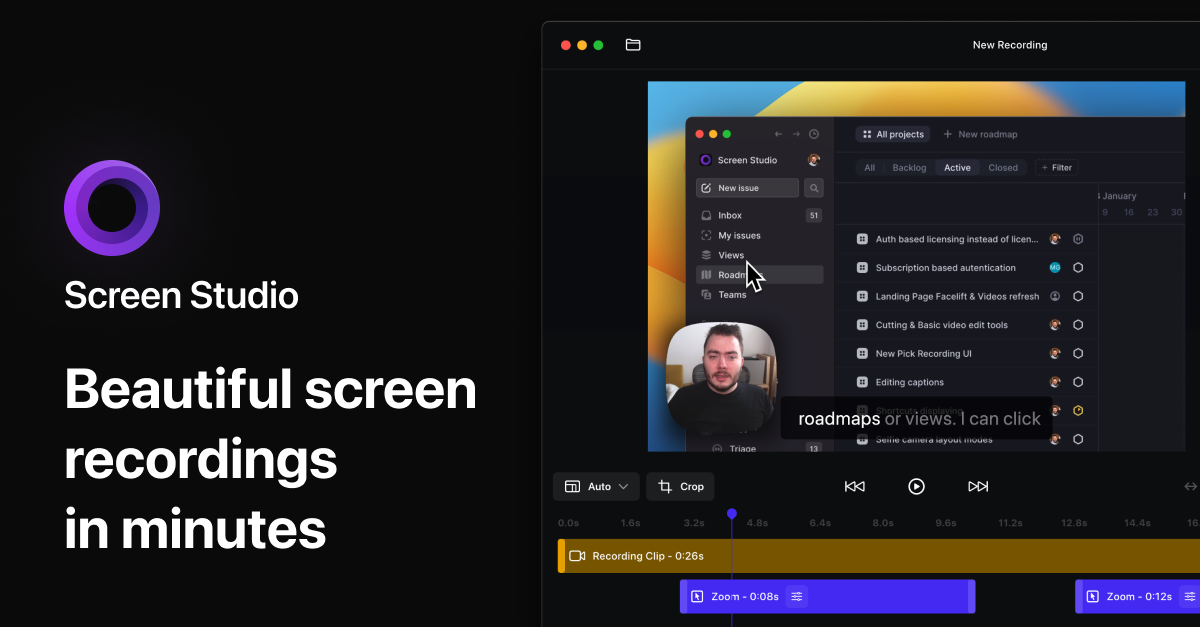
Screen Studio is a macOS-native screen recorder that auto-applies cinematic zooms, smooth cursor movement, and pro export presets — turning raw recordings into polished demos in minutes.
Screen Studio is a macOS-only screen recorder that auto-applies cinematic zooms, smooth cursor movement, and platform-aware export presets to every recording — turning shaky raw captures into polished product demos in minutes. We rate it 92/100 — if you're on a Mac and create demos, tutorials, or social videos regularly, it's the single best purchase you can make this quarter.
Screen Studio is a macOS-native screen recording and editing app built by Polish indie developer Adam Pietrasiak (@pie6k) and a small team. It launched in late 2022 and grew, by Pietrasiak's own public account, to thousands of paying users in the first 9 months — almost entirely through word of mouth on X. It is intentionally opinionated: instead of giving you a 50-track timeline, it makes editing decisions automatically so the output looks like a video editor spent hours on it.
The specific problem Screen Studio solves better than QuickTime, Loom, or OBS is the last-mile polish: cursor smoothing, mouse-action zoom-ins, audio normalization, motion blur, and gradient backgrounds. These touches are what make a demo look professional, and they're precisely the steps most creators skip because they take an hour in Premiere or Final Cut.

Sentiment on X (where the product was incubated) is overwhelmingly positive — Pietrasiak's launch tweet for v1 was shared by thousands of indie founders, and our scan of subreddits like r/macapps and r/indiehackers turns up the same recurring praise: "I made a demo in 5 minutes that looks better than what I used to spend an afternoon on." The most common complaint, repeated across Reddit and Hacker News, is the move from a one-time license to subscription pricing — early lifetime buyers feel rewarded, but new users now have to commit to a recurring fee. The second recurring complaint is the lack of a Windows version, which the team has confirmed is not on the roadmap.
As of , Screen Studio is subscription-only for new buyers. The free download lets you record and preview, but exporting any video requires a paid plan. There is no free export tier.
| Plan | Price | What's Included |
|---|---|---|
| Free trial | $0 | Record and preview, no export. macOS Ventura 13.1+ required. |
| Monthly | $20/month | All features, shareable links, 3 personal Macs. |
| Yearly | $9/month (billed annually — $108/yr) | All features, shareable links, 3 personal Macs. |
Students and educators get 40% off with verified university email. Past one-time license owners keep their licenses indefinitely.
Best for: SaaS founders shipping product demos, indie hackers posting on X, course creators recording lessons, dev-rel engineers making walkthrough videos, and marketing teams making social cuts. If your job involves explaining a software interface to anyone, this saves you hours per video.
Not ideal for: Windows or Linux users (no version exists or is planned), people who want full manual control over a multi-track timeline (use Final Cut or DaVinci Resolve instead), or one-off users who only need to record a single video — the subscription doesn't justify itself for occasional use.
Pros:
Cons:
If you're priced out or on Windows, the closest alternatives are Cap (open source, free, cross-platform but rougher around the edges) and Tella (browser-based, cross-platform, similar polish but with subscription pricing). For free with no polish, OBS Studio remains the only fully free option but it requires manual editing for any of Screen Studio's signature effects.
If you make more than two demo videos a month on a Mac, Screen Studio pays for itself in the first week. We rate it 92/100 — knocked off points only for macOS-exclusivity and the loss of the lifetime option. For its target audience (Mac-using founders, creators, dev-rel) it is the clear best-in-class tool in 2026, and the auto-zoom feature alone is worth the yearly fee.
ServiceNow and Accenture Launch Forward Deployed Engineering Program to Scale Agentic AI in the Enterprise (May 6, 2026)
At Knowledge 2026, ServiceNow and Accenture announced a joint forward deployed engineering program that drops co-located engineer pods into customer environments to ship agentic AI workflows natively on the ServiceNow AI Platform — with access to 300+ pre-built agent skills and the AI Control Tower as the governance backbone.
May 7, 2026
ReFiBuy Raises $13.6M Seed to Help Brands Get Recommended by AI Shopping Agents (May 5, 2026)
ReFiBuy, the Raleigh-based agentic commerce platform from ChannelAdvisor founder Scot Wingo, closed an oversubscribed $13.6M seed led by NewRoad Capital Partners on May 5, 2026 — betting that the next billion-dollar e-commerce moat is being chosen by ChatGPT, Claude and Perplexity.
May 7, 2026
OpenAI Replaces ChatGPT's Default Model With GPT-5.5 Instant — 52.5% Fewer Hallucinations, 30% Shorter Answers (May 5, 2026)
OpenAI on May 5 swapped GPT-5.3 Instant for the new GPT-5.5 Instant as ChatGPT's default model, claiming 52.5% fewer hallucinated claims on high-stakes prompts and 30% more concise answers. The model also rolls into the API as chat-latest and adds personalization from Gmail and past chats for Plus and Pro web users.
May 7, 2026
Is this product worth it?
Built With
Compare with other tools